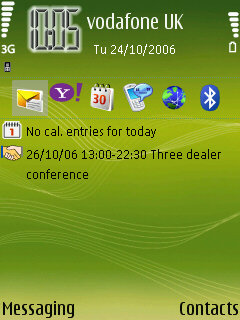
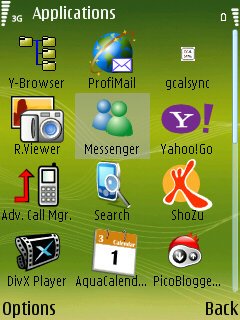
 I haven't used messenger on my mobile for a while now. I tried to login today, and I got a warning screen, informing me that there is now a monthly subscription fee (screenshots below) Has anyone else come across this? The cost is 10RMB, does anyone know exactly how much this is? It seems that the charge will be via reverse SMS, which I'm not keen to sign up for anyhow. For the forseeable future, it looks like I'll be sticking with Yahoo messenger which is not chargeable, other than data used.

Friday, June 6, 2008
Windows Messenger no longer free?

Thursday, June 5, 2008
Yahoo Go 2.0
 One application I use more than pretty much any other on my N73 is Yahoo Go. It seems I'm not alone, either, judging by the emails I receive every day. I saw some people posting on various forums that they were looking to get Yahoo Go for their N80 or N73. I have the .sis file and email it out at least three or four times a day to people who ask for it. It works fine on either phone (but apparently not on ESeries handsets)
Today Yahoo announced they are launching version 2.0 of their YGO application. It will include Onesearch, which is a context aware search applciation, at the heart of the application. Onesearch is a context aware search application that is designed to return more relevant searches to queries.
My only hope that when Yahoo Go 2.0 is launched that Yahoo release it for all compatible products from their own website. Make it easier for all to use the product, and more will. Surely the logic explains itself?
Wednesday, June 4, 2008
New NSeries phones
With CES happening it was almost a certainty we would have some new phones to see from Nokia. And Nokia didn't disappoint. The N93i has been confirmed, there is the N800 and also the N76. Pics and detail below:
N76 Spec list
At only 13.7mm thin the N76 offers a super slim multimedia computer for your pocket. The Spec is quite standard for an N-Series phone these days, 2GB expandable memory, 2.0 megapixel camera, Tri band GSM and 3G conenctivity, Bluetooth, etc. It odes look very good, possibly the nicest S60 flip from Nokia:.jpg)
.jpg)
N800 Spec list
The N800 is a Linux handheld style tablet PC. With no built in telephony the N800 is slightly away from Nokia's core product line. It does look to be an interesting product. It has WiFi and Bluetooth connectivity, meaning you can connect to the net via WiFi connection or Bluetooth to your mobile handset. You can use the N800 to send/receive email, communicate via IM, and use the built in webcam for video calls..jpg)
.jpg)
N93i Spec list
The N93i offers pretty much all you can get from the N93 but in a slimmer, shinier, silver shell. If there is one thing non enthusiasts always mention about the N93, it's the size. Now, hopefully the N93i will address that issue for those people and take the N93i to a more mainstream audience..jpg)
.jpg)
Tuesday, June 3, 2008
N95 Video
Found over on the nokia blog a quick 2 and a half minute video of the N95 taken at the Symbian smartphone show this week:
And a quick hands on 'first impressions' review over on, I am very sure this handset will be one of my wants for next year.
Two Problems on my N73
I've had the N73 for a few weeks now. And despite there being a few reported problems in forums and on other blogs, my phone has been very solid and reliable to date (Hope I'm not tempting fate)
Two things that I've noticed over the last couple of days though:
1) I stored a lot of themes onto the memory card yesterday. However not all are showing on the list of available themes to choose from. Has anyone else noticed this? How did you resolve the problem? Related to this, in the installation manager not all themes are listed, so there are some I cannot remove. They are nice themes so not a major problem, but an annoyance all the same.
2) Writing an email with the built in email client, if I want to attach a picture I have to scroll through the whole gallery to find the pictures(s) I want. This is very frustrating, and I'm sure wasn't like this in previous editions?
The answer to this problem if you've experienced the same, I've found, is Profimail. This allows you to scan folders in a logical manner, making attachment of items very easy. I do wish the font they used on Profimail wasn't quite so small, though.
N7x Music edition theme
I found this on the E61 Life site this morning (I like the E61 life site, even though the focus is obviously E61 not NSeries. Highly recommended)
I like this theme. I'm not 100% sure whether the theme is N73 music edition or N70. Either way it looks good
Advanced call manager for N73
I downloaded this application for my phone this evening. It allows me to control who I receive calls from. It's one of the most annoying things about mobile phones, is people can get hold of you wherever you are. There's no more quiet time, whenever someone wants to get in touch they just call.
I don't want to turn my phone off. I want the option of being able to make a call should I wish, but choose who I don't have to answer to. Of course, I could always see who is calling from the caller ID and reject the call. But with advanced call manager I have total control over incoming calls.
Advanced call manager allows me to set up a selection of call lists. Black lists for numbers I don't want to receive calls from, white lists for groups of people who I want to receive calls from. So if I select a black list, anyone on that list who calls will be dealt with by a rule I previously instructed. Be that diverting them to my answer phone, or just giving them a busy tone. I can set up different black lists, as I can white lists. So during the day I can avoid calls from certain groups whilst at work, but in the evening and weekends I can avoid work numbers.
Withheld numbers are dealt with separately, you can choose to offer them a busy tone or divert them to answerphone independently of any black list operating at the time. I really detest calls from people who withhold their number. My recorded message on my answerphone informs people who withhold their number that this is the reason they've been diverted. I'll call them back at my leisure (or not, depending who it is)
Other features on Advanced call manager offers allows me to set up different situations depending on the profile I've chosen on the phone, and I can also set it up depending on location too.
Overall advanced call manager gives me total control over the calls I receive, or choose not to receive. It's definitely on my top 10 applications list.
Subscribe to:
Posts (Atom)